
Introduction
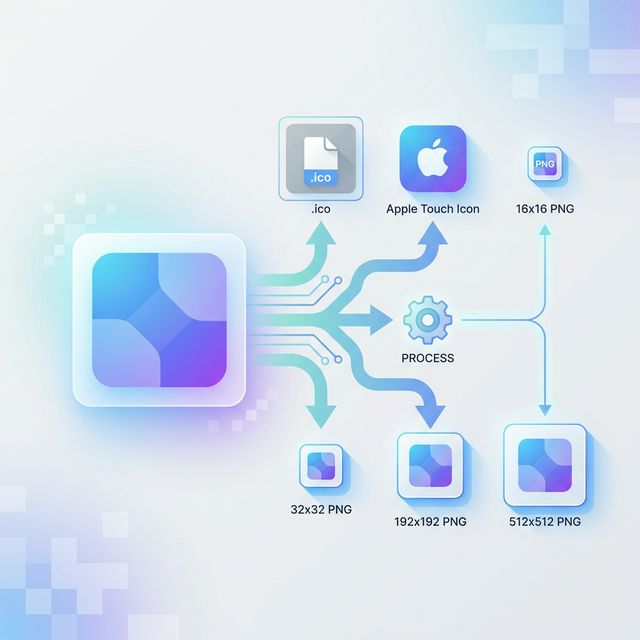
Favicons are essential for website production. These days, the variety of images you need to prepare has increased—not just favicon.ico, but also Apple Touch Icons for smartphones and PNGs of various sizes.
Resizing and exporting these one by one is a huge hassle. That’s why I created a tool where you can upload a single image and batch-generate the entire necessary icon set as a ZIP download.
https://devtoolkits.app/en/tools/favicon-generator
What kind of tool is it?
When you upload a large image (PNG/JPG/WebP)—around 1024x1024 is recommended—it generates all the files needed for a standard favicon configuration.
Features
- 📦 Batch Generation: Creates
favicon.ico(containing 16x16, 32x32),apple-touch-icon.png(180x180), and various PNGs (16x16, 32x32, 192x192, 512x512) all at once. - 🔒 Secure & Browser-based: All image processing is done in the browser using the Canvas API. Since nothing is ever saved on a server, you can safely use confidential data like company logos.
- ⚡ ZIP Download: You can download all generated images as a single ZIP file, making it ready to drop into your project immediately.
- 🖼️ Maintain Transparency: If the original image is a transparent PNG, transparency is maintained across all exported sizes.
How to use it
- Open Favicon Generator.
- Drag and drop or select an image (ideally a square one).
- Check the status of each size in the preview.
- Press the “Download All as ZIP” button to save the set.
Conclusion
Finish the tedious icon creation work in seconds and focus on your core development and design tasks!