
Tools mentioned in this article
Open the browser-based tool while you read and try the workflow immediately.
“Where is this table connected again?”
“Which table does this user_id reference?” “Wait, is this table actually referenced from anywhere?” — tracing relationships by reading raw SQL is like assembling a puzzle in your head.
The SQL to ER Diagram Converter takes CREATE TABLE statements and instantly renders tables, columns, primary keys, and foreign keys as a Mermaid ER diagram. Everything runs in your browser — your SQL never leaves it.
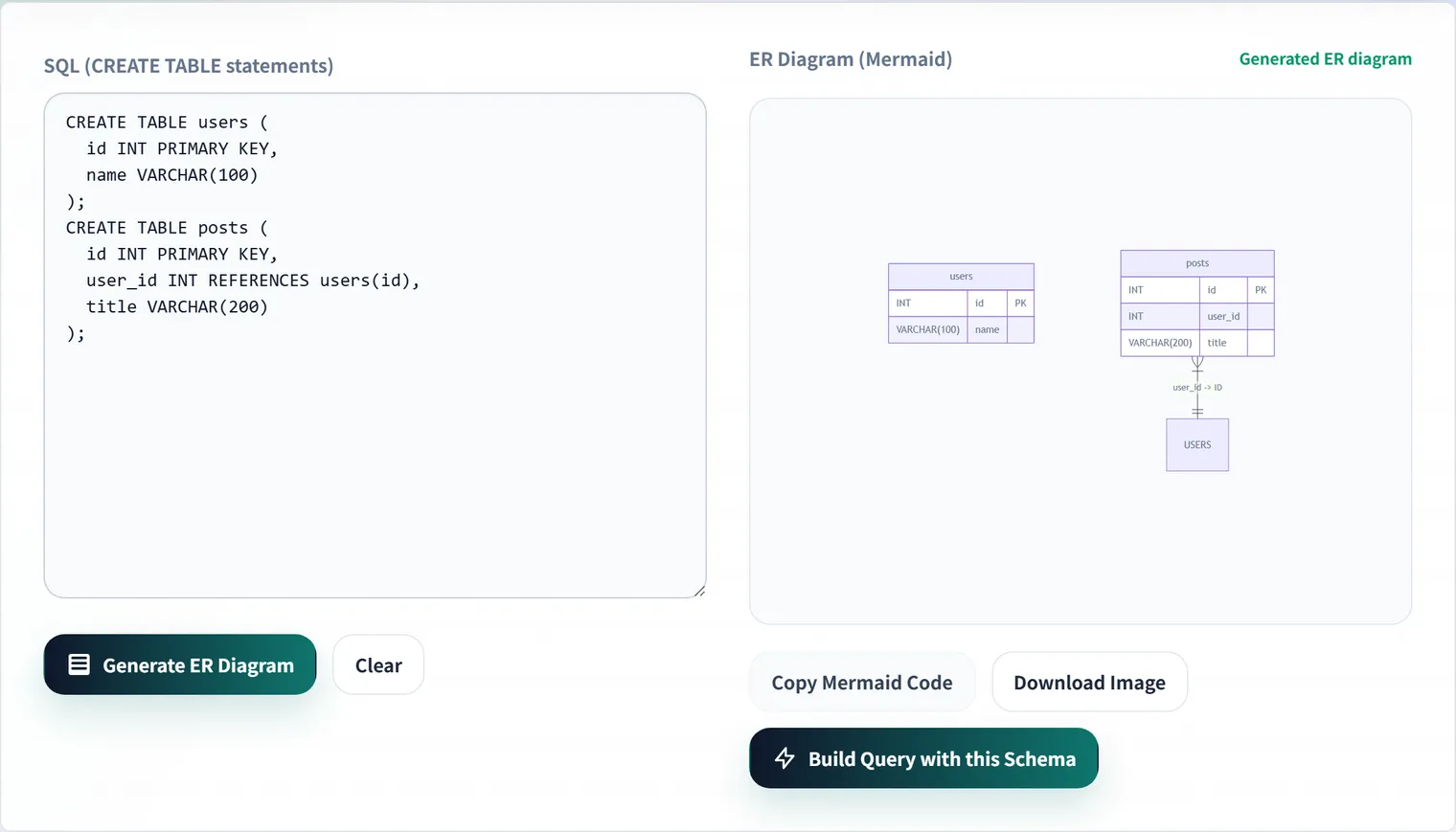
This article explains how the DDL parser actually works under the hood, and — because of how it works — what you should know about its coverage.
Usage
CREATE TABLE users (
  id BIGINT PRIMARY KEY,
  name VARCHAR(255) NOT NULL
);

CREATE TABLE orders (
  id BIGINT PRIMARY KEY,
  user_id BIGINT NOT NULL,
  total_amount INTEGER NOT NULL,
  FOREIGN KEY (user_id) REFERENCES users(id)
);
Paste that in, and you get this Mermaid erDiagram code:
erDiagram
    users {
        BIGINT id PK
        VARCHAR name
    }
    orders {
        BIGINT id PK
        BIGINT user_id
        INTEGER total_amount
    }

    orders }|--|| users : "user_id -> id"
Paste the generated code straight into a GitHub README or pull request and it renders automatically.
How the parser works: regex-based DDL decomposition
Rather than a full SQL parsing library, the tool uses a lightweight regex-based parser (SqlParser.parseDdl). It works in three stages.
1. Strip comments and split into statements
const cleanSql = sql
    .replace(/--.*$/gm, '')           // strip line comments
    .replace(/\/\*[\s\S]*?\*\//g, '') // strip block comments
    .trim();

const statements = cleanSql.split(';').map(s => s.trim()).filter(Boolean);
Because statements are split naively on ;, DDL containing a semicolon inside a default value won’t parse correctly — a case that essentially never comes up in practice.
2. Split column definitions on commas outside parentheses
Naively splitting a CREATE TABLE body on , would also break on commas inside type definitions like DECIMAL(10, 2). Instead, the parser tracks parenthesis depth and only treats a comma as a separator when depth is zero.
private static splitByCommaOutsideParens(text: string): string[] {
    let depth = 0;
    // '(' increments depth, ')' decrements it; only commas at depth === 0 are separators
    for (let i = 0; i < text.length; i++) {
        if (text[i] === '(') depth++;
        else if (text[i] === ')') depth--;
        if (text[i] === ',' && depth === 0) { /* split here */ }
    }
}
This is the same idea used in the JSON⇔CSV converter’s CSV parser — a stateful character-by-character scan. SQL column definitions and quoted CSV fields look different on the surface, but share the property that “the delimiter becomes invalid under certain conditions.”
3. Classify each line as PRIMARY KEY, FOREIGN KEY, or a column
Each split line is pattern-matched into one of three categories.
// table-level primary key, including composite keys like PRIMARY KEY (id, tenant_id)
const pkMatch = trimmed.match(/PRIMARY KEY\s*\(([\s\w,`"]+)\)/i);

// table-level foreign key
const fkMatch = trimmed.match(
    /FOREIGN KEY\s*\(([\s\w`"]+)\)\s*REFERENCES\s*(?:['\`"]?(\w+)['\`"]?\.)?['\`"]?(\w+)['\`"]?\s*\(([\s\w`"]+)\)/i
);

// column definition; also picks up an inline REFERENCES clause
const colMatch = trimmed.match(/^['`"]?(\w+)['`"]?\s+(\w+(?:\([\w\s,]+\))?)(.*)$/i);
The REFERENCES pattern matches both an inline foreign key at the end of a column definition and a table-level FOREIGN KEY clause. Composite primary keys are supported — a definition like PRIMARY KEY (id, tenant_id) marks both columns as PK.
Output: crow’s-foot notation
The relationship lines the tool generates use crow’s-foot notation:
orders }|--|| users : "user_id -> id"The arrow goes from }| (many) to || (one) — “many orders belong to one user,” a one-to-many relationship. For a full guide to reading this notation, including one-to-one, many-to-many, and identifying vs. non-identifying relationships, see Mermaid ER Diagram Syntax Reference.
Note that Mermaid’s erDiagram syntax doesn’t allow parentheses in column types, so length specifiers are stripped automatically — VARCHAR(255) becomes VARCHAR (type.replace(/\([^)]*\)/g, '')).
DDL patterns the parser doesn’t support
Being a lightweight regex-based parser rather than a full SQL grammar — a deliberate trade-off to keep the bundle small and run fast in the browser — comes with limits:
| Pattern | Support |
|---|---|
PRIMARY KEY / FOREIGN KEY inside CREATE TABLE (table- or column-level) | ✅ Supported |
Composite primary key PRIMARY KEY (a, b) | ✅ Supported |
ALTER TABLE ... ADD CONSTRAINT ... FOREIGN KEY | ❌ Not supported (it’s outside the CREATE TABLE statement) |
CREATE TABLE IF NOT EXISTS | ✅ Supported |
Schema-qualified names schema.table_name | ✅ Supported (only the table name portion is extracted) |
-- line comments / /* */ block comments | ✅ Stripped before parsing |
Some migration tools add foreign keys via a separate ALTER TABLE statement (Rails’ ActiveRecord is a common example). If that’s your setup, either move the foreign key line into the CREATE TABLE body temporarily, or append the relevant FOREIGN KEY (...) REFERENCES ... clause before pasting, so the relationship gets picked up.
Checklist for reviewing a generated diagram
- Does every table have a primary key set?
- Are the foreign key directions what you intended?
- Are there any orphaned tables with no connections?
- Do junction tables correctly represent many-to-many relationships?
In pull request review, attaching an ER diagram communicates the blast radius of a schema change far better than the raw SQL diff alone. Since the output is plain text (Mermaid), you can paste it directly into a review comment.
FAQ
Does it work with MySQL or PostgreSQL DDL?
Yes, for general CREATE TABLE-centric DDL. Dialect-specific types and options (like ENGINE=InnoDB) are simply ignored — they don’t affect table, column, or key extraction.
Does it still generate a diagram if there are no foreign keys?
Yes — you’ll get a table/column overview. But relationship lines are derived entirely from FOREIGN KEY / REFERENCES clauses, so include them in your DDL if you want relationships to appear.
Are foreign keys added via ALTER TABLE picked up?
No. The parser only looks inside CREATE TABLE statements, so foreign keys added later via a separate ALTER TABLE ... ADD CONSTRAINT are not recognized. Temporarily move the FOREIGN KEY (...) REFERENCES ... clause into the CREATE TABLE body if you need it reflected.
Can I paste the generated diagram into documentation?
Yes. The Mermaid output renders natively in GitHub READMEs and most Markdown viewers, so you can manage your schema diagram alongside your code. See the Mermaid ER Diagram Syntax Reference for how to read (and hand-edit) the crow’s-foot notation.
Summary
- Parsing is a lightweight regex implementation; the key trick is splitting commas only outside parentheses
- Supports PRIMARY KEY and FOREIGN KEY at both table and column level, including composite primary keys
- Foreign keys added later via
ALTER TABLEaren’t picked up — some migration styles need manual adjustment - Output uses Mermaid’s crow’s-foot notation; see the companion reference article for how to read it
Hand your SQL to the tool and see relationships you might have missed.