
Tools mentioned in this article
Open the browser-based tool while you read and try the workflow immediately.
“Where did I put that public key?”
When using an RSA-based scheme for JWT signature verification, you always run into the same wall: “How do I distribute the public key safely?” and “When I rotate the key, do I have to update every server’s config?”
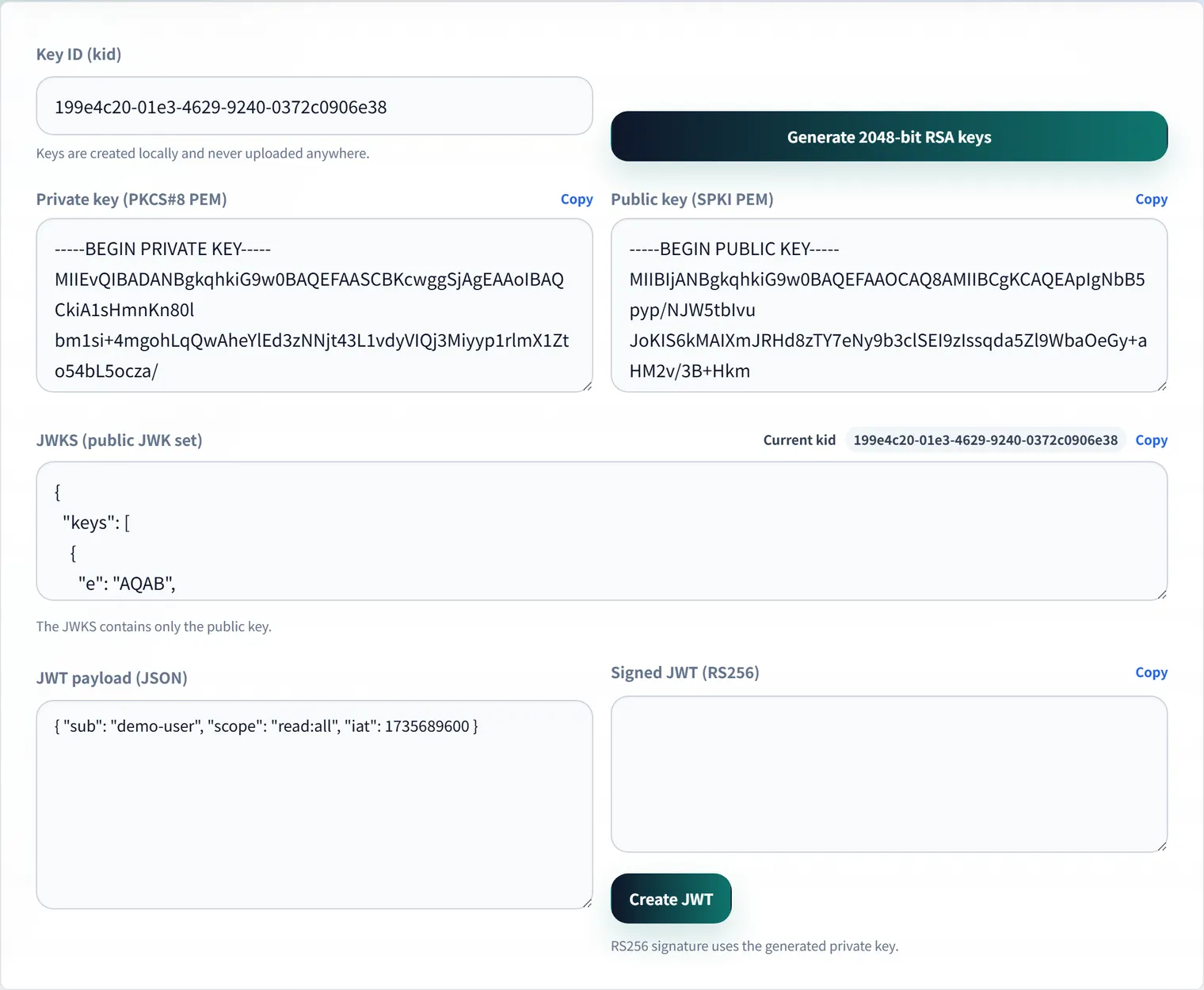
JWKS (JSON Web Key Set) solves exactly this problem. The JWKS Generator generates an RSA key pair entirely in your browser, giving you both the JWKS format (public key) and PEM format (private key) on the spot.
JWKS: a “showcase” of public keys
JWKS is a “set of keys written in JSON.” An authentication server (Auth0, Cognito, etc.) publishes this JSON at a well-known URL — typically /.well-known/jwks.json — and any API server that needs to verify a token fetches it from there.
Why JWKS is convenient
- Automatic rotation — rotating the key just means swapping the content behind the endpoint. API servers pick up the latest key simply by fetching the URL.
- Multiple keys in flight — “old” and “new” keys can coexist, making transition periods smooth.
- A world standard — widely adopted by OAuth 2.0 and OIDC, so most libraries support it out of the box.
Inside JWKS: what each field means
{
  "keys": [
    {
      "kty": "RSA",
      "n": "0vx7agoebGcQ...",
      "e": "AQAB",
      "kid": "f47ac10b-...",
      "use": "sig",
      "alg": "RS256",
      "key_ops": ["verify"]
    }
  ]
}| Field | Role |
|---|---|
kty | Key type (e.g. RSA) |
n / e | The RSA public key itself (modulus and public exponent) |
kid | Key ID. Matched against the JWT header to select which key to verify with — the linchpin of key rotation |
use | Purpose. sig for signature verification (enc for encryption) |
alg / key_ops | Declares the algorithm and allowed operations, preventing misuse on the verifying side |
keys is an array, so during a rotation both the old and new key can sit side by side, distinguished by kid in the JWT header.
Generating a key pair in the browser
The JWKS Generator combines the jose library with the Web Crypto API to generate an RSA 2048-bit key pair (for RS256 signing) on the spot.
- Public key (JWKS format) — usable as a mock for
/.well-known/jwks.json - Private key (PEM format) — usable to sign JWTs
- If you don’t specify a
kid, a random one is generated automatically
Generation runs entirely in your browser, so the private key never touches the internet. It’s a good fit for spinning up a local mock authentication server, or for unit-testing your JWT verification logic.
How JWKS fits into JWT signature verification
- The authentication server issues a JWT
- The JWT header includes a
kididentifying which key signed it - The API server fetches the public key set from the JWKS endpoint
- It picks the public key whose
kidmatches - It verifies the JWT’s signature with that public key
This design means the API server never needs to hold a private key at all. The private key stays solely with the authentication server; the verifying side only ever needs public keys — a clean separation of duties. Remember the JWT payload itself is just Base64URL-encoded, not encrypted — you can confirm this by decoding a real token with the JWT decoder.
Things to watch for with JWKS
- Does the
kidin the JWT header match akidin the JWKS? - Does
algmatch the signing algorithm you expect? - Is the JWKS fetch result being cached appropriately?
- During rotation, are old and new keys temporarily kept side by side?
- Have you decided when to remove a revoked key?
During key rotation specifically, there’s a window where JWTs signed with the old key and JWTs signed with the new key both exist simultaneously. It’s standard practice to publish both public keys in the JWKS during that window so either token can be verified.
FAQ
Can I put a private key in a JWKS?
No. What you publish externally as a JWKS is the public key used for signature verification. The private key must stay solely with whoever issues the JWT and should never be exposed to browsers or API consumers.
Is kid required?
It’s essential once you’re managing multiple keys. Matching the JWT header’s kid against a JWKS entry’s kid is how the verifying side knows which public key to use. If you expect to rotate keys, it’s worth including kid from the start.
How do I create a JWKS for local development?
Generate a test key pair with the JWKS Generator and use the public key side as your JWKS. Keep development and production keys separate — never paste or share a production private key.
Can I use the generated key in production?
We don’t recommend it. This tool is meant for development, testing, and learning. Generation happens entirely in your browser and the key never leaves it, but production signing keys should be generated and stored in a managed environment like an HSM or a KMS.
Summary
- JWKS distributes public keys as JSON;
kidis the linchpin of key rotation use/alg/key_opsdeclare intent to prevent misuse- Verifiers never need a private key — the JWKS-fetched public key is all they need
- During rotation, old and new keys coexist in the JWKS
Skip re-deriving OpenSSL flags from memory — generate what you need right here.