
Tools mentioned in this article
Open the browser-based tool while you read and try the workflow immediately.
“Writing this cURL into code is such a pain…”
You use “Copy as cURL” in your browser’s dev tools to test an endpoint. It works fine in the terminal — but the moment you need it in your own program (Python, JavaScript, whatever), you have to relearn how headers and JSON bodies are written in that library.
The cURL Converter turns a pasted curl command into HTTP request code in the language of your choice, entirely in your browser — so a command containing an auth token never leaves your machine.
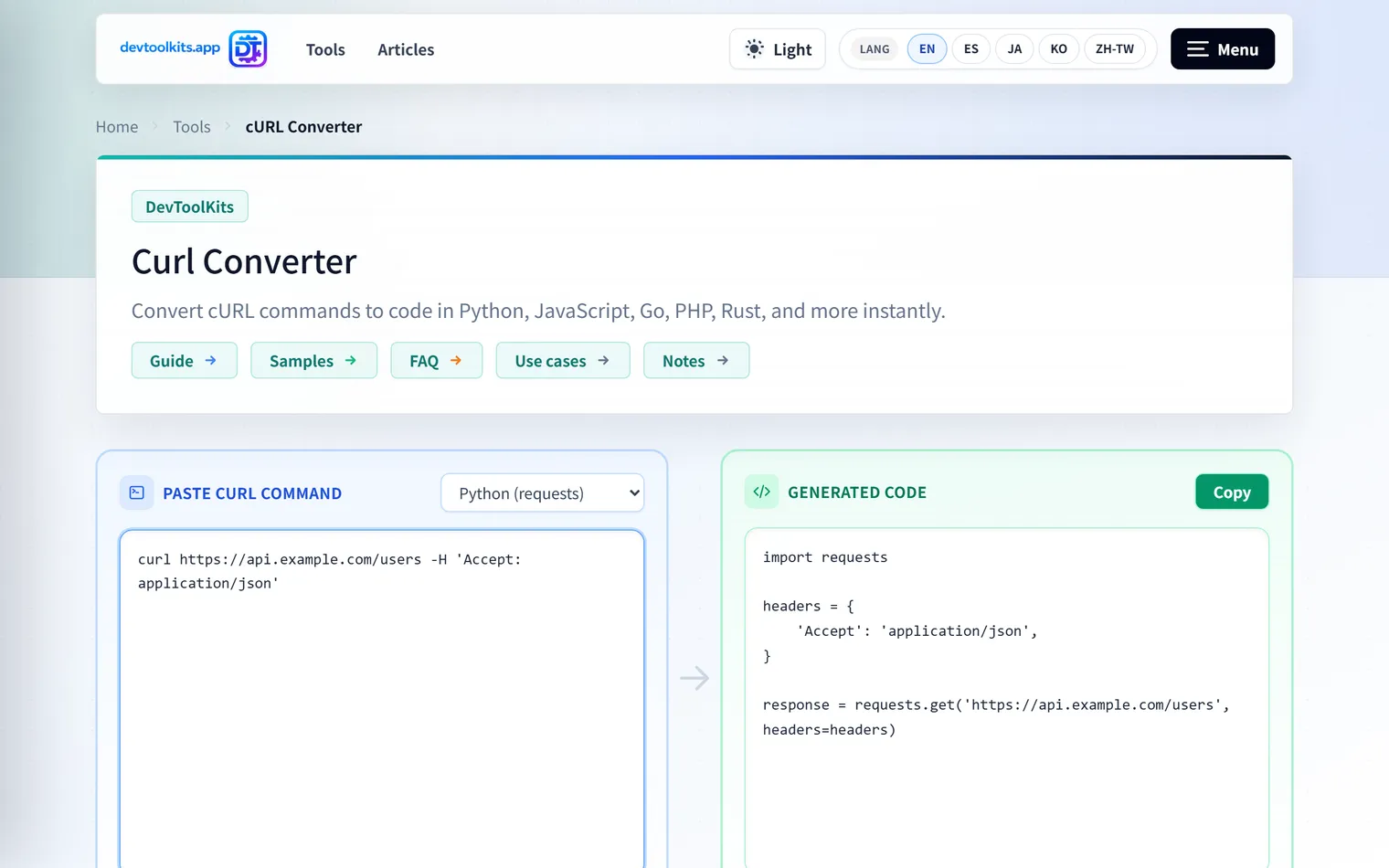
Supported languages
const converters: Record<string, (curl: string) => string> = {
    python:     curlConverter.toPython,      // requests
    node:       curlConverter.toNodeFetch,
    javascript: curlConverter.toJavaScript,  // fetch
    go:         curlConverter.toGo,
    rust:       curlConverter.toRust,
    php:        curlConverter.toPhp,
    java:       curlConverter.toJava,
    r:          curlConverter.toR,
    elixir:     curlConverter.toElixir,
    dart:       curlConverter.toDart,
    json:       curlConverter.toJsonString,  // structured request data, not code
};
Python (requests), JavaScript (fetch), Go, Rust, PHP, Java, R, Elixir, and Dart are all supported.
How to use it
- Copy a curl command from your browser’s dev tools or an API doc
- Paste it into the cURL Converter
- Pick your target language
- Confirm
Authorization,Content-Type, and the request body are reflected correctly
curl -X POST "https://api.example.com/users" \
  -H "Authorization: Bearer YOUR_TOKEN" \
  -H "Content-Type: application/json" \
  -d '{"name":"Taro","role":"admin"}'
This command includes a POST method, an auth header, and a JSON body. The generated code should reflect each of these in the target library’s idiom.
Why this needs a real parser, not regex
A curl command is written in shell syntax (the options themselves are covered in the curl options cheat sheet):
curl 'https://api.example.com/v1/items?q=a b' \
  -H "Authorization: Bearer $TOKEN" \
  -d '{"name": "it'\''s"}'
Nested single/double quotes, the '\'' escaping trick, line continuations, environment variables, and 200+ curl flags — trying to handle all of that with regular expressions is a losing battle. The library behind this tool, curlconverter, parses the command as shell syntax into a proper parse tree first, then extracts the request’s semantic information (method, URL, headers, body) before generating code for each target language. Parsing it correctly as shell is what the conversion quality rests on.
A hidden useful feature: JSON output
Selecting json as the target language doesn’t produce code — it produces the structured breakdown of the request (method / URL / headers / body). When you want to review “what is this curl command actually sending” rather than read code, the structured breakdown is often clearer.
What to check after converting
Auto-conversion is an excellent starting point, but check these before committing the result:
- Move API keys and tokens into environment variables
- Extract the URL into config or a constant
- Set a timeout
- Add error-response handling
- Add JSON parsing and type definitions
- Separate production and development endpoints
In particular, never hardcode an Authorization header from a curl command directly into your code. It’s fine for a quick check, but move secrets into environment variables or a secrets manager before shipping.
Why it stays in the browser
curl commands often contain Authorization headers, cookies, or internal API URLs. Sending that to an external service just to convert it defeats the purpose — so curlconverter is bundled to run entirely client-side, and nothing you paste ever touches the network.
FAQ
Does “Copy as cURL” output work?
Yes. Commands copied from Chrome DevTools (including headers and cookies) convert correctly. If the command includes cookies or tokens, mask them before sharing the result with anyone.
Can it convert to Python requests or JavaScript fetch?
Yes — Python (requests), JavaScript (fetch), Go, Rust, PHP, Java, R, Elixir, and Dart are all supported. Pick whichever matches your project’s conventions.
Can I use the converted code as-is in production?
It’s a great starting point, but production code should add error handling, timeouts, and proper credential management. Treat the generated code as scaffolding to build on, adapted to your project’s design.
Is the curl command I paste sent anywhere?
No. Conversion runs entirely in your browser — curlconverter is bundled client-side, so your command is never transmitted to a server.
Summary
- Parsing curl correctly requires shell-syntax parsing; regex alone breaks down
- The
jsonoutput mode is handy for understanding what a request actually sends - Because commands often carry tokens, running entirely client-side matters
- Generated code is scaffolding — add environment-variable credentials and error handling yourself
Give your API integration a faster start.